How it works
Good nights in three steps
No account to make, no settings to learn. LullaMoon is built to disappear into the bedtime routine you already have.
Step 01
Open it — that’s the whole setup
There is no sign-up, no password and no email. The app opens straight into the library and starts playing. Add a child profile if you like: an age group, an optional nickname and an emoji — never a name or a birth date.
Step 02
Pick tonight’s listen
A featured story every week, a library you can filter by age, narrator and lesson, guided meditations from 3 to 21 minutes, sleep music, and a background mixer for rain or a fireplace. Or create a brand-new story starring your child.
Step 03
Put the phone down
Audio keeps playing on the lock screen with full controls, so no screen has to stay lit. Set the sleep timer and everything fades out on its own after the time you choose.
Every night
One screen, everything ready
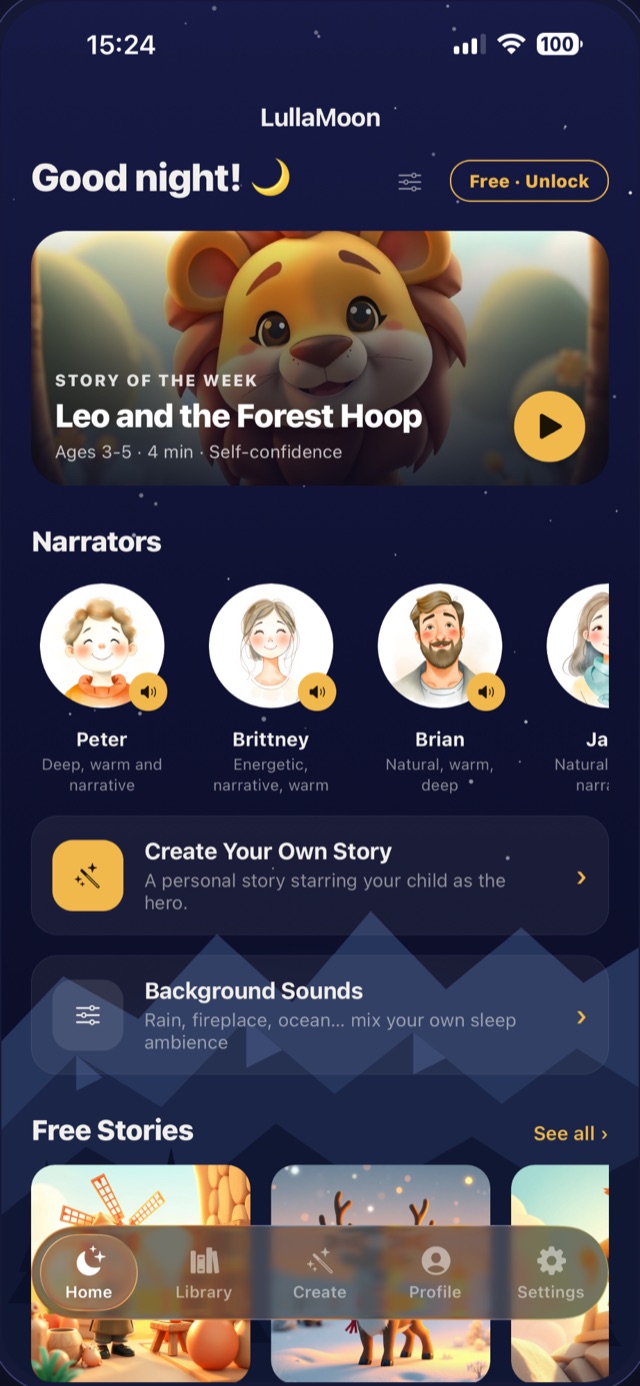
The home screen opens on the story of the week, the narrators your child knows, and shortcuts into meditations, sleep music and the sound mixer. Nothing to configure — the app remembers where you were.
- ✦A different featured story every week, free for everyone
- ✦Free stories and meditations sit right on the home screen
- ✦Background sounds are one tap from anywhere
- ✦Picks up exactly where you left off, with your mix levels intact
What’s free, what’s Premium
LullaMoon is free to open and free to use every night. Premium is for families who want the whole library.
Always free
Enough for a real bedtime
Twelve narrated stories, a new featured story every week, a set of guided meditations and four background sounds — no account, no trial clock, no ads. If you never subscribe, this stays yours.
Premium
The whole night-time library
All 225+ stories, all 92 meditations, 100 sleep music tracks, all 20 background sounds with unlimited mixing, favorites and playlists. Weekly, monthly and yearly plans, with a free trial on the yearly one.
Story credits
Only for personalized stories
Creating a story starring your child uses one credit, bought separately in packs of 1, 5 or 10. No subscription is required to create — and if a creation ever fails, the credit comes straight back.
Personalized stories
Three steps, one story that has never existed before
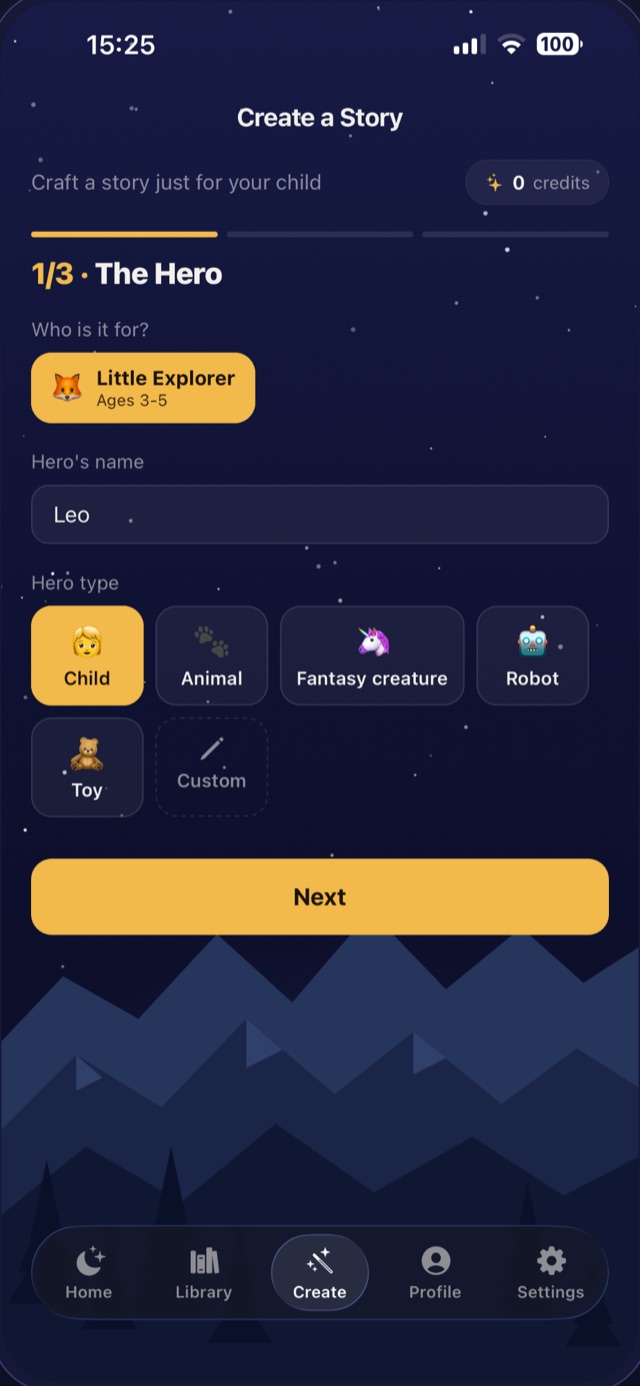
Choose the hero — your child, with the name they answer to — then the world they wander into, a sidekick, the lesson the night calls for, and the voice that tells it. Two minutes later it is written, illustrated and narrated.
- ✦Six hero types, from a child to a robot to a fantasy creature
- ✦20+ lessons: sharing, courage, tooth brushing, starting school…
- ✦Listen to each narrator before choosing
- ✦Saved to your library, ready to replay any night
What’s inside
225+ bedtime stories
Original tales, narrated and illustrated, length-tuned for ages 0–2, 3–5 and 6+, with read-along highlighting.
92 guided meditations
Breathing games, body relaxation and imagination journeys, from a 3-minute calm-down to a 21-minute drift.
100 sleep music tracks
Ten hours of gentle instrumentals — piano, harp, music box, ambient pads — written to stay flat and calm.
20 background sounds
Rain, fireplace, ocean, forest, white noise and more, each with its own slider, mixable under anything or on their own.
Sleep timer
From 5 minutes to 4 hours. Audio fades out gently instead of stopping abruptly.
Favorites & playlists
Build a bedtime run of stories, meditations and music that plays through in the order you choose.
Questions parents ask
Do I need to create an account?+
No. LullaMoon has no login screen at all — the app works fully from the first launch. Your library, purchases and settings live on your device.
How long does a personalized story take?+
About two minutes. You can leave the app while it works: turn on notifications and LullaMoon will tell you the moment the story is ready.
What happens if a story creation fails?+
The credit is refunded automatically — you are never charged for a story you did not get.
Can my child use it without me?+
Yes. There are no ads, no links out to the web on the listening screens, and nothing to buy without a purchase confirmation. Press play and hand the phone over — or better, put it face-down across the room.
Does it work offline?+
Audio streams, so a connection is needed to start something new. Once a story is playing it keeps going, and the sleep timer and background mixer work regardless.
How do I cancel a subscription?+
Through your Apple ID — Settings › your name › Subscriptions, or the Manage Subscription shortcut in the app’s settings. Cancelling keeps access until the end of the period you already paid for.
Tonight can be the first calm one
Free to download, free to use — no account required.